
Download Ewido Antispyware – spyware protection, antispyware, malware removal, computer security, privacy protection
Overview
Ewido Antispyware is a security-focused software solution developed by Grisoft, the same company behind the widely recognized AVG antivirus suite. Designed specifically to combat spyware and other forms of malicious software, this application aims to protect users’ systems from unauthorized data collection, performance degradation, and privacy breaches. Its primary purpose is to detect, analyze, and remove threats such as keyloggers, adware, tracking cookies, and other intrusive programs that operate covertly on Windows systems.
The target audience includes individuals and organizations seeking reliable protection against digital espionage and unwanted surveillance. Given its focus on privacy, Ewido Antispyware is particularly relevant for users concerned about personal data exposure, especially those using shared or public computers. It addresses real-world challenges such as identity theft, browser hijacking, and unauthorized remote access by maintaining a vigilant defense layer.
Although the developer did not provide additional technical details, the application’s release date of July 26, 2006, places it in an early phase of widespread cybersecurity awareness. At the time, it contributed significantly to the growing ecosystem of specialized security tools, offering a dedicated alternative to general antivirus software. Its legacy continues to inform modern antispyware solutions, emphasizing the importance of targeted threat detection in digital defense strategies.
Key Features & Functionality
- Comprehensive Malware Detection: Ewido Antispyware uses advanced algorithms to identify a broad spectrum of threats, including spyware, adware, and keyloggers. This ensures that both known and potentially hidden malicious programs are flagged for removal.
- Signature and Behavior Analysis: The software combines signature-based detection with behavior monitoring, enabling it to catch both established and emerging threats. This dual methodology increases detection accuracy and helps prevent zero-day exploits.
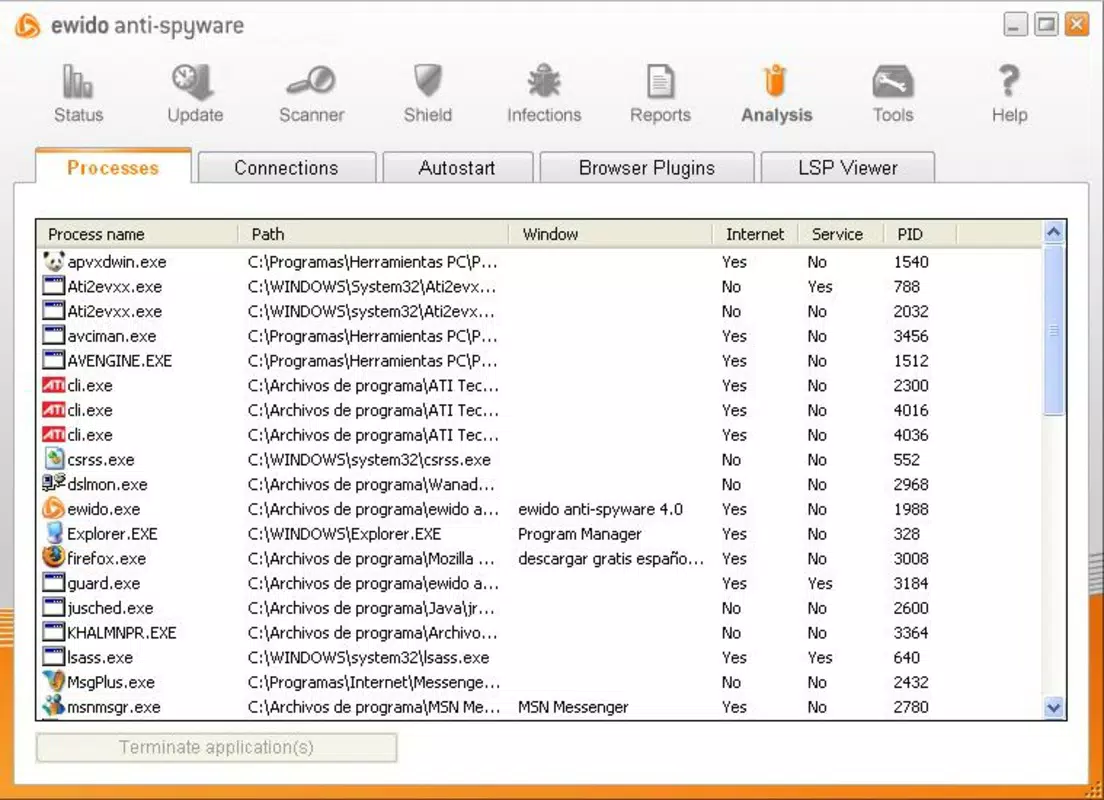
- Active Process Monitoring: Ewido continuously observes running processes within each Windows session. Any suspicious activity is immediately highlighted, allowing users to take prompt action and maintain system integrity.
- Network Connection Analysis: The tool monitors outbound network traffic to detect unauthorized communications. This feature helps prevent data exfiltration and identifies malicious programs attempting to connect to remote servers without user consent.
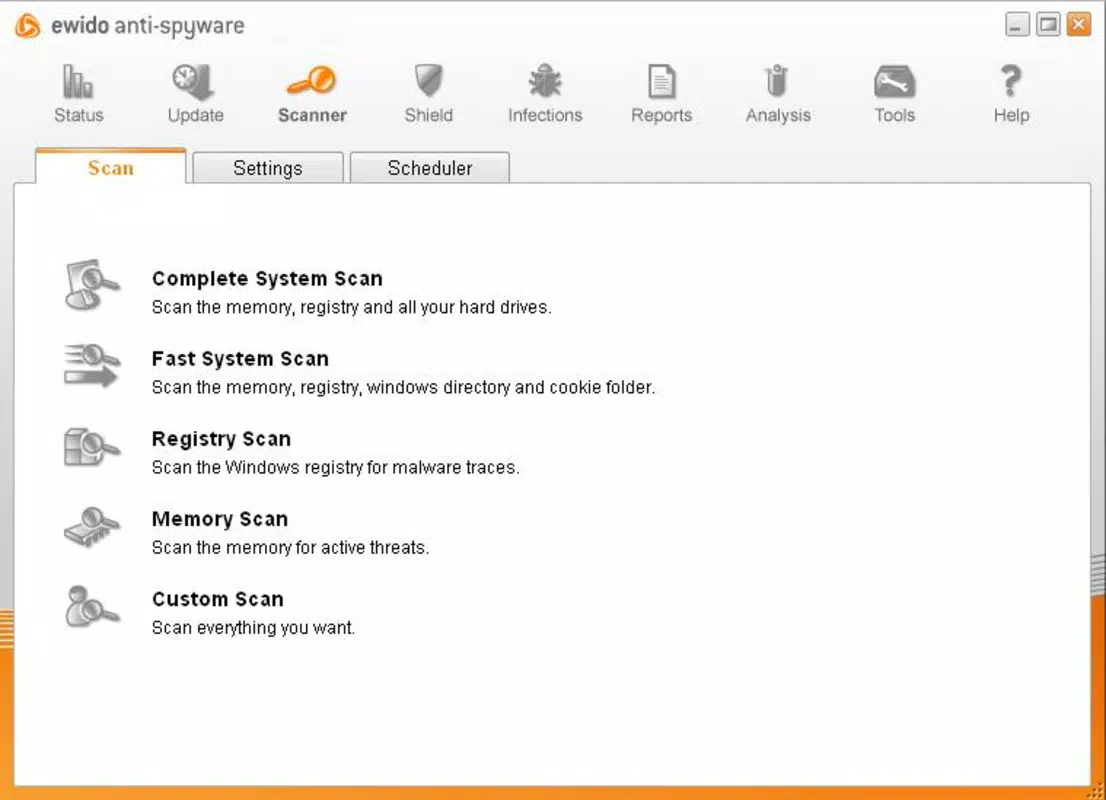
- User-Friendly Interface: Designed with accessibility in mind, the interface supports users of all technical levels. Scanning, reviewing results, and managing settings are straightforward, minimizing the learning curve and enabling consistent security practices.
For example, a user browsing online may unknowingly download a file containing a keylogger. Ewido Antispyware would detect the file during scanning and flag its behavior in real time, preventing keystroke capture and protecting login credentials. Similarly, a program attempting to send personal data to an external server would be blocked based on its network activity, preserving user privacy.
Interface, UX & Performance
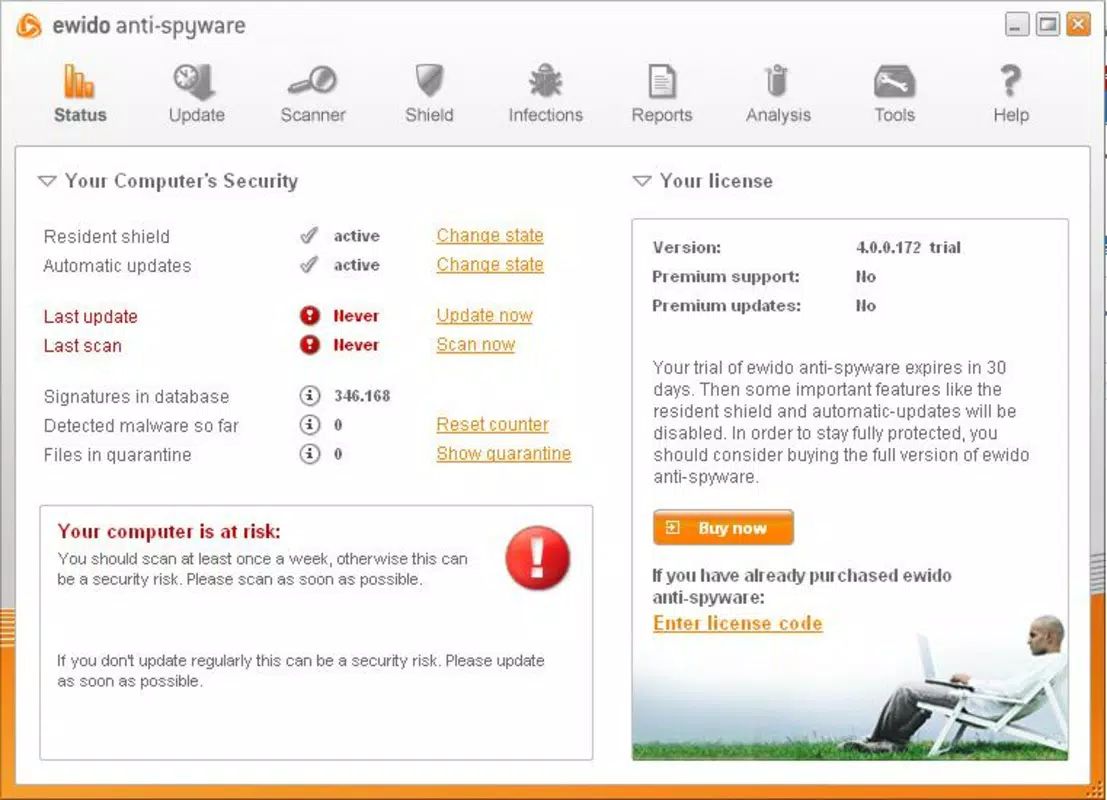
The user interface of Ewido Antispyware is designed for clarity and ease of navigation. It features a clean layout with clearly labeled sections, including scan status, detected threats, and system health indicators. Menus are logically organized, allowing users to initiate scans, view logs, and configure settings without confusion.
Navigational flow is intuitive, with minimal clicks required to perform core tasks. The application responds promptly to user inputs, and the scan results are presented in a structured format that facilitates quick decision-making. Although the developer did not list formal performance metrics, the software’s file size of 14.2 MB suggests a lightweight footprint, which typically correlates with efficient resource usage.
Performance across different device categories is not specified. However, given its release in 2006 and compatibility with Windows systems, it is likely optimized for older hardware. Responsiveness and stability are expected to be consistent within its intended environment, though modern systems may experience compatibility limitations. No reports of crashes or freezes were provided.
Platform Compatibility & Technical Requirements
Ewido Antispyware is available for the Windows platform. The software version is 2.5.2, with a file size of 14.2 MB. The application is free to download and use, with no monetary cost to users.
The developer did not specify minimum OS requirements or compatibility details beyond the platform. As such, it is unclear whether the software supports modern Windows versions such as Windows 10 or 11. Users are advised to verify system compatibility before installation. The lack of updated technical specifications may limit its usability on current systems.
Pros and Cons
Pros
- Free to download and use, making it accessible to a broad user base.
- Combines signature-based and behavior-based detection for enhanced threat coverage.
- Offers real-time process and network monitoring for proactive defense.
- Intuitive interface suitable for non-technical users.
- Developed by Grisoft, a reputable name in cybersecurity.
Cons
- Released in 2006, which may result in compatibility issues with modern operating systems.
- No recent updates or active development since its initial release.
- Specific system requirements and supported OS versions were not disclosed.
- May not detect newer malware variants due to outdated detection databases.
- Limited availability and support in current digital environments.
FAQ
Is Ewido Antispyware safe to install?
Yes, Ewido Antispyware was developed by Grisoft, a well-known cybersecurity company. However, due to its age and lack of updates, it may not be fully compatible with modern systems or capable of defending against current threats.
Can I update Ewido Antispyware?
There is no information available about update mechanisms or current update availability. The software was last released in 2006, and no official update channels are documented.
Does Ewido Antispyware work on Windows 10 or 11?
Compatibility with Windows 10 or 11 is not confirmed. The developer did not specify supported operating systems beyond the Windows platform. Users should exercise caution when attempting installation on newer systems.
Is Ewido Antispyware still effective today?
Given its release date and lack of updates, Ewido Antispyware is unlikely to provide reliable protection against modern malware. It may still detect older threats but is not recommended for current cybersecurity needs.
Where can I download Ewido Antispyware?
The software can be found through legacy software archives and third-party repositories. Users should ensure they download from trusted sources to avoid bundled malware or compromised files.
Final Thoughts
Ewido Antispyware represents a significant milestone in early antispyware development, offering a focused solution for protecting user privacy and system integrity. While its historical importance is undeniable, its current relevance is limited by its age and lack of ongoing support. For users seeking robust, up-to-date security, modern alternatives are strongly recommended.
That said, those maintaining older systems or researching historical cybersecurity tools may find value in its architecture and detection methods. However, it should not be relied upon as a primary defense in today’s threat landscape.
Download Ewido Antispyware now


